
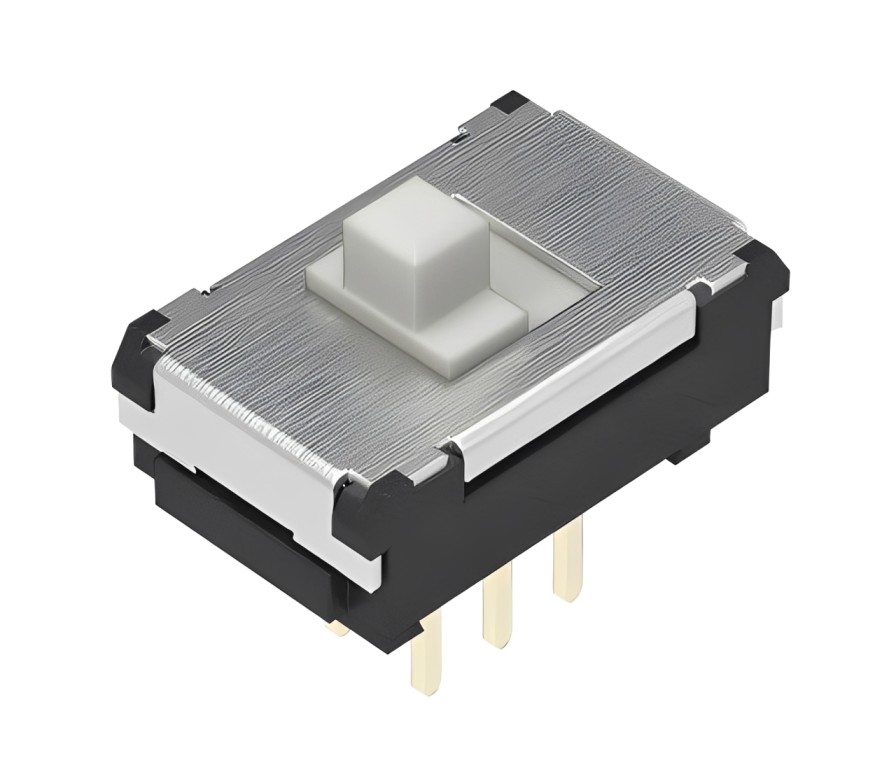
The smallest control on a device can shape how confidently someone uses it. A portable tester may need a setting that remains selected in a tool bag, while a compact audio controller needs a clear way to change operating modes. In both cases, designers must consider not only the electrical function of a switch but also how people will touch, recognise and maintain it. A well-chosen sliding control can simplify the interface without adding unnecessary complexity.
A Slide Switch DPDT Latching arrangement provides two linked changeover contact paths and keeps its selected position after the actuator is released. This makes the general design useful for applications that need a persistent physical selection. Rather than examining a particular component, the following guide focuses on ergonomics, accidental operation, mechanical protection and the practical testing that supports reliable product development.
Why Is a Physical Switch Still Valuable in Modern Electronics?
Touchscreens and software menus can offer many functions, but a simple switch communicates a setting without requiring a display to be awake. Users can often feel which position has been chosen, and the control may retain that physical position after the device loses power.
That advantage matters for portable instruments, small consumer products and maintenance equipment. However, a physical setting should not be mistaken for proof that the underlying circuit is de-energised. The switch must be rated and integrated for its actual electrical function.
How Can Designers Make a Sliding Control Easy to Understand?
A good interface makes the available choices obvious. If a device offers two modes, position labels should identify what each one does rather than rely on unexplained abbreviations. The direction of travel should also feel natural for the product’s orientation.
What Makes an Interface More Usable?
- Clear markings: Put short labels close enough to each position to remove doubt.
- Accessible movement: Leave space for fingers without catching nearby controls.
- Distinct end positions: Choose an actuator with suitable travel and tactile feedback.
- Visible confirmation: Ensure the setting can be recognised under ordinary lighting.
- Consistent conventions: Use the same switching direction on related devices where practical.
These details are especially important when users operate equipment quickly or while wearing gloves.
Why Should Accidental Switching Be Considered Early?
A switch that moves easily in a prototype may change position unintentionally once the product is carried, cleaned or stored. Raised actuators can catch on fabric or nearby objects, while recessed designs may be difficult to operate deliberately.
Designers can consider protective recesses, sensible placement or enclosures that shield the slider without obstructing it. Any guard should be tested with the intended users. Making a control hard to reach may prevent accidental operation but also make routine use frustrating.
When Might a Rocker Control Be a Better Choice?
Not every two-position interface benefits from a sliding motion. A panel with enough frontal space may suit a wider control that users press from either side. Comparing Rocker Switches helps designers evaluate another operating style for accessible, frequently used settings.
The electrical contact arrangement must still match the circuit. A rocker with similar ON and OFF markings is not automatically a substitute for a DPDT slide switch, and a switch intended for signal-level operation should not be replaced on appearance alone.
How Do Movement, Vibration and Wear Affect Reliability?
Mechanical switching depends on physical contacts and an actuator that moves through its designed travel. Repeated use, board flexing and contamination can eventually affect the feel or electrical response of a poorly protected assembly.
Keep the actuator clear of housing edges and ensure that forces applied by the user do not bend the printed circuit board excessively. Dusty environments may require a switch with suitable environmental protection or a different enclosure design. Avoid spraying cleaners into a switch unless the manufacturer explicitly permits the procedure.
What Should Be Checked During Product Prototyping?
A bench prototype should be evaluated in conditions resembling real use. Move the slider repeatedly, confirm that each position is recognised correctly and inspect whether enclosure tolerances interfere with travel.
Record the expected operating cycles and check the electrical ratings against actual loads. Tests should also consider accidental knocks, temperature variation and the effects of normal handling. For critical applications, establish appropriate validation requirements rather than relying on a few successful manual operations.
When Is a Microswitch More Suitable Than a Slide Switch?
A manually selected mode and an automatically detected mechanical position are different requirements. If a device needs to sense whether a door, lever or mechanism has reached a particular point, a suitable Micro Switches design may be more appropriate than a user-operated slider.
Microswitches often use snap-action mechanisms and can be fitted with different actuators, but their ratings and environmental protection vary. They must not be assumed suitable for safety interlocking without a complete assessment of the required safety function.
What Mistakes Lead to Unreliable Switching Designs?
Common mistakes include choosing by size alone, overlooking panel clearance, failing to provide clear labels and assuming a mechanical switch can carry any connected load. Inconsistent mounting can also make the actuator stiff or place strain on solder joints.
Before production, verify the footprint, pin assignments, operating force and allowed soldering process using the manufacturer’s documentation. If a product needs safe isolation from hazardous power, use an appropriately rated disconnecting arrangement rather than a miniature signal selector.
How Can Better Switch Choices Improve Product Experience?
Reliable switching is a combination of sound electrical design and straightforward human interaction. A control should be easy to understand, protected against unintended movement and simple to test during maintenance. For products needing several choices rather than two, comparing Rotary Switches can help designers assess a different selection method. Choosing the mechanism around the user’s task—not merely available panel space—leads to clearer, more dependable electronic products.